Carolyn Abram - Facebook For Dummies
Здесь есть возможность читать онлайн «Carolyn Abram - Facebook For Dummies» — ознакомительный отрывок электронной книги совершенно бесплатно, а после прочтения отрывка купить полную версию. В некоторых случаях можно слушать аудио, скачать через торрент в формате fb2 и присутствует краткое содержание. Жанр: unrecognised, на английском языке. Описание произведения, (предисловие) а так же отзывы посетителей доступны на портале библиотеки ЛибКат.
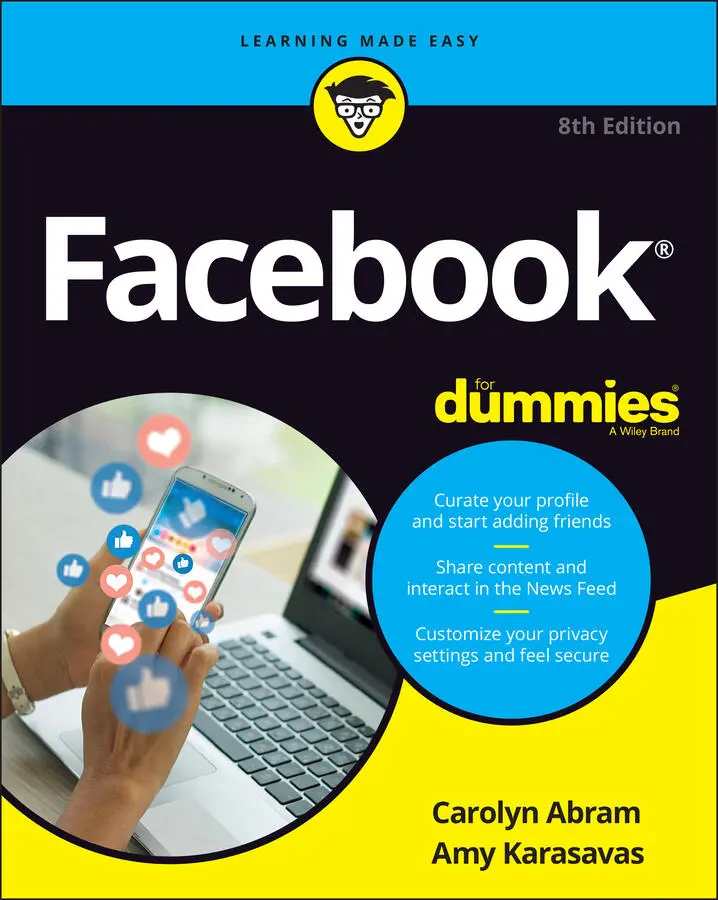
- Название:Facebook For Dummies
- Автор:
- Жанр:
- Год:неизвестен
- ISBN:нет данных
- Рейтинг книги:5 / 5. Голосов: 1
-
Избранное:Добавить в избранное
- Отзывы:
-
Ваша оценка:
Facebook For Dummies: краткое содержание, описание и аннотация
Предлагаем к чтению аннотацию, описание, краткое содержание или предисловие (зависит от того, что написал сам автор книги «Facebook For Dummies»). Если вы не нашли необходимую информацию о книге — напишите в комментариях, мы постараемся отыскать её.
In a chatty, straightforward style, your friendly hosts, Carolyn Abram and Amy Karasavas—both former Facebook employees—help you get settled in with the basics, like setting up your profile and adding content, as well as protecting your privacy when you want to decide who can and can't see your posts. They then show you how to get involved as you add new friends, toggle your newsfeed, shape your timeline story, join groups, and more. They even let you in on ways to go pro and use Facebook for work, such as building a promo page and showing off your business to the world. Once you come out of your virtual shell, there'll be no stopping you!
Build your profile and start adding friends Send private messages and instant notes Share your memories Tell stories about your day Set your privacy and curate your news feed Don't be a wallflower: with this book you have the ideal icebreaker to get the party started so you can join in with all the fun!
Facebook For Dummies — читать онлайн ознакомительный отрывок
Ниже представлен текст книги, разбитый по страницам. Система сохранения места последней прочитанной страницы, позволяет с удобством читать онлайн бесплатно книгу «Facebook For Dummies», без необходимости каждый раз заново искать на чём Вы остановились. Поставьте закладку, и сможете в любой момент перейти на страницу, на которой закончили чтение.
Интервал:
Закладка:
Content: The content section of a News Feed post is the most variable element. You might see a preview of an article, or a video, or a photo album. It could also be a location where someone has checked in, or marked her location (such as the Golden Gate Bridge or her local coffee shop) when she posted. The content is the part of the post that is the most important; it’s the reason for the post existing. In Figure 4-1, the content is a status update about Kara’s houseplants.
After you have the basics and who and what, you can focus on some of the other details to be found in a simple status update:
Feeling/activity info: Not every status includes this, but Facebook provides a list of emotions and activities that can be appended to any status update or post. In this case, the emoji (and words) depict that Kara was “feeling hopeful” when she wrote this status update.
Tags: Tags are a way of marking who or what is with you when you post something to Facebook. You might tag a person who is with you when you write a post, or you might tag a TV show you're watching. Tags in posts are displayed as links in blue or bold text. You can hover the mouse cursor over these tags to view more info about that person, Page, place, or thing. In the status update shown in Figure 4-1, Kara Lynne tagged Amy.
Timestamp: The little grey text near the profile photo in the post tells you how long ago this post was added.
Privacy info: The grey icon next to the timestamp represents the privacy of that post. Hover the mouse cursor over the icon to see who else can see the post. Usually posts are visible either to everyone (Public) or just to that person’s friends.
Like, Comment, and (Share): These links allow you to interact with your friends about the content they’ve posted. In addition, you can see how many people have already liked a post, and you can see any comments that have been made below the post itself. You might also see a text box next to your profile picture prompting you to “Write a comment ….” Commenting, liking, and sharing are covered in more detail in the “ Interacting with Your News Feed” section, later in this chapter.
Common actions and content
News Feed is made up of all sorts of posts. Although the basic anatomy is the same, here are some of the common post types you might encounter:
Status updates: A status update post appears in Figure 4-1. Status updates are the short little posts that your friends make about what’s going on in their lives.
Links: Figure 4-2 shows a post sharing a link. A link from a friend is one of the chief ways many people get their news. Click the link (or the article’s title) to go to the article.
Photos and videos: Figure 4-3 shows a photo album post. When people add photos or are tagged in photos, Facebook creates this type of post, with information about who was tagged and a sample of the photos that were added. You can include videos in photo albums. Videos will autoplay with the volume off as you view them in your News Feed. Click the volume icon (the little loudspeaker) to turn on the sound. Click the photos or videos to see bigger versions, browse albums, and watch more videos. FIGURE 4-2:Viewing a shared link from a friend. FIGURE 4-3:Checking out a friend’s photo post. FIGURE 4-4:Live video of a friendly face.
Live videos: Figure 4-4 shows a live video post. Live videos are just what they sound like — videos streamed live from wherever the poster is. You might see a friend streaming live video from the tide pools she's exploring or a celebrity at a red-carpet event. Many news organizations share live video feeds of formal press conferences, as well as more casual live videos of behind-the-scenes footage. Hover the mouse cursor over the video to display the video’s progress bar and other controls. Click the volume icon to turn on the sound and tune in.
Group and event posts: When people post to a group or an event you're a member of, it may show up in your News Feed. These posts look like a standard post, except the top the post shows both the poster’s name and the name of the group she’s posting to. Figure 4-5 shows Kara Lynne posting to PNW Womens Hiking, a group she is a member of.
Life events: People can create life events from their timelines. These events can be for an event as small as buying a new pair of sunglasses, but more often people use them to mark big moments: a wedding, a baby, moving, getting a pet, buying a house, and other major developments in one’s life. Figure 4-6 shows a life event post.
Check-ins: A check-in is a way of marking where you are. A post about a check-in show a map of its location, as well as a preview of information about the location where that person checked in. It also may show a list of other friends who have checked in there in the past. FIGURE 4-5:A post to a group — with a background! FIGURE 4-6:Celebrate your achievements with a life event.
Tags: Posts about tags let you know what photos or posts your friends have recently been tagged in and include a preview of the photos with your friends in them. Because of the way tags work, you may be seeing photos or posts that were added by someone who is not your friend.
Memories: You see two types of memory posts on Facebook. One is basically friends' posts from years ago, which Facebook has shown them and they’ve chosen to repost. They might add a comment or some context: “Never forget that seven years ago today I ran out of milk.” The other type of memory post is a video automatically generated by Facebook to commemorate certain milestones, such as anniversaries and friendiversaries (the day two people became friends on Facebook). Memory posts are great for a quick dose of nostalgia.
Facebook Watch videos: Facebook Watch is Facebook’s service for professional video content. Facebook produces original television shows as well as serving up videos from other producers such as Netflix and Hulu, or from Pages you follow from your favorite shows and movies. Videos from Facebook Watch automatically begin playing (without sound) when you reach them in your News Feed. To listen to them, click the volume icon. To watch videos in their entirety, click the video. You'll be taken to the Facebook Watch page, a destination in Facebook that compiles all video content in one place for easy sorting, searching, and viewing.
Likes and comments: Posts about likes and comments let you know what Pages, posts, or articles your friends have liked or commented on recently. Usually whatever your friend has interacted with is shown and linked so that you can check it out for yourself.
Changed cover and profile pictures: These posts often look similar to a regular photo post. Click through to look at the new photos on your friends’ timelines in their full-sized glory.
Events: Posts about events (usually letting you know which friends have RSVP’d “yes” to an event) include a link to the event, so if you’re looking for someplace to go, you can say “yes,” too. Only public events show up here, so if you’ve added a private event, don’t worry about people who weren’t invited seeing it in their News Feed.
Recommendation requests: Sometimes friends may be looking for help creating a vacation itinerary or finding a good place to buy new soccer cleats. They can ask their wise Facebook friends for help answering these sorts of questions by requesting recommendations. Recommendation request posts usually include location information and a map (like check-in posts) so that you can quickly figure out if you’ll be able to help.
Fundraisers: Fundraisers are ways for people to raise money toward a goal. They might be associated with a nonprofit or rounding up cash for a personal goal or on behalf of a friend. When you see posts about your friends’ fundraisers, you get some information about the organization or cause, as well as links to learn more or donate. Fundraisers are covered in greater detail in Chapter 12.
Читать дальшеИнтервал:
Закладка:
Похожие книги на «Facebook For Dummies»
Представляем Вашему вниманию похожие книги на «Facebook For Dummies» списком для выбора. Мы отобрали схожую по названию и смыслу литературу в надежде предоставить читателям больше вариантов отыскать новые, интересные, ещё непрочитанные произведения.










Обсуждение, отзывы о книге «Facebook For Dummies» и просто собственные мнения читателей. Оставьте ваши комментарии, напишите, что Вы думаете о произведении, его смысле или главных героях. Укажите что конкретно понравилось, а что нет, и почему Вы так считаете.