Mark Murphy - Beginning Android
Здесь есть возможность читать онлайн «Mark Murphy - Beginning Android» весь текст электронной книги совершенно бесплатно (целиком полную версию без сокращений). В некоторых случаях можно слушать аудио, скачать через торрент в формате fb2 и присутствует краткое содержание. Город: New York, Год выпуска: 2009, ISBN: 2009, Издательство: Apress, Жанр: Программирование, на английском языке. Описание произведения, (предисловие) а так же отзывы посетителей доступны на портале библиотеки ЛибКат.
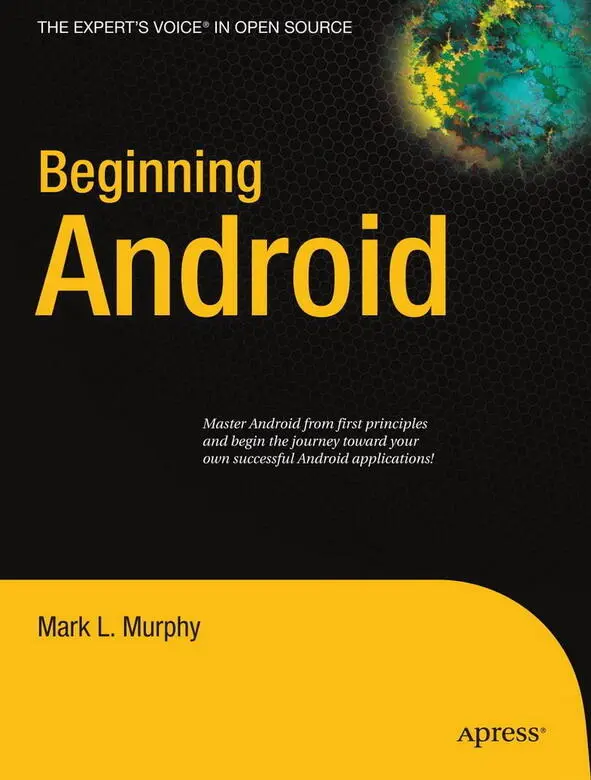
- Название:Beginning Android
- Автор:
- Издательство:Apress
- Жанр:
- Год:2009
- Город:New York
- ISBN:978-1-4302-2420-4
- Рейтинг книги:3 / 5. Голосов: 1
-
Избранное:Добавить в избранное
- Отзывы:
-
Ваша оценка:
Beginning Android: краткое содержание, описание и аннотация
Предлагаем к чтению аннотацию, описание, краткое содержание или предисловие (зависит от того, что написал сам автор книги «Beginning Android»). Если вы не нашли необходимую информацию о книге — напишите в комментариях, мы постараемся отыскать её.
Dear Reader,
First, welcome to the world of Android! We’re entering a new era of mobile application development, one marked by open platforms and open source, to take ‘walled gardens’ and make them green houses for any and all to participate in. Android is relatively easy for developers, and I believe that this innovation will help generate a large ecosystem of developers and consumers within a very short time. This means that budding developers such as yourself will have many opportunities to design and build your own applications and you’ll have a huge and hungry customer base.
Second, welcome to the book! Its purpose is to start you on your way with building Android applications, and to help you master the learning curve. Android is already a rich framework, comparable in many ways to the richness Android of desktop Java environments. This means that there is a lot of cool stuff for you to pick up along your journey in order to create the slickest, most useful apps Android you can imagine.
The source code for the code samples in this book is all available from the Apress site, so you can stay as hands-on and practical as you like while I introduce you to the core of Android, and invite you to experiment with the various classes and APIs we’ll be looking at. By the time you’ve finished this book, you’ll be creating your own Android applications and asking yourself what your next great application will be…!
Enjoy! Mark Murphy
Beginning Android — читать онлайн бесплатно полную книгу (весь текст) целиком
Ниже представлен текст книги, разбитый по страницам. Система сохранения места последней прочитанной страницы, позволяет с удобством читать онлайн бесплатно книгу «Beginning Android», без необходимости каждый раз заново искать на чём Вы остановились. Поставьте закладку, и сможете в любой момент перейти на страницу, на которой закончили чтение.
Интервал:
Закладка:
The exception is if the BroadcastReceiveris implemented on some longer-lived component, such as an activity or service — in that case, the intent receiver lives as long as its “host” does (e.g., until the activity is frozen). However, in this case, you cannot declare the intent receiver via AndroidManifest.xml. Instead, you need to call registerReceiver()on your Activity’s onResume()callback to declare interest in an intent, then call unregisterReceiver()from your Activity’s onPause()when you no longer need those intents.
The Pause Caveat
There is one hiccup with using Intent objects to pass arbitrary messages around: it only works when the receiver is active. To quote from the documentation for BroadcastReceiver:
If registering a receiver in your Activity.onResume() implementation, you should unregister it in Activity.onPause(). (You won’t receive intents when paused, and this will cut down on unnecessary system overhead). Do not unregister in Activity.onSaveInstanceState(), because this won’t be called if the user moves back in the history stack.
Hence, you can only really use the Intent framework as an arbitrary message bus if:
• Your receiver does not care if it misses messages because it was not active.
• You provide some means of getting the receiver “caught up” on messages it missed while it was inactive.
In Chapters 30 and 31 on creating and using services, you will see an example of the former condition, where the receiver (service client) will use Intent-based messages when they are available but does not need them if the client is not active.
CHAPTER 24
Launching Activities and Sub-Activities
The theory behind the Android UI architecture is that developers should decompose their application into distinct activities, each implemented as an Activity, each reachable via Intents, with one “main” activity being the one launched by the Android launcher. For example, a calendar application could have activities for viewing the calendar, viewing a single event, editing an event (including adding a new one), and so forth.
This, of course, implies that one of your activities has the means to start up another activity. For example, if somebody clicks on an event from the view-calendar activity, you might want to show the view-event activity for that event. This means that, somehow, you need to be able to cause the view-event activity to launch and show a specific event (the one the user clicked upon).
This can be further broken down into two scenarios:
• You know what activity you want to launch, probably because it is another activity in your own application.
• You have a content Urito… something, and you want your users to be able to do… something with it, but you do not know up front what the options are.
This chapter covers the first scenario; the next chapter handles the second.
Peers and Subs
One key question you need to answer when you decide to launch an activity is, does your activity need to know when the launched activity ends?
For example, suppose you want to spawn an activity to collect authentication information for some Web service you are connecting to — maybe you need to authenticate with OpenID [30] http://openid.net/
in order to use an OAuth [31] http://oauth.net/
service. In this case, your main activity will need to know when the authentication is complete so it can start to use the Web service.
In this case the launched activity is clearly subordinate to the launching activity. Therefore you probably want to launch the child as a sub-activity, which means your activity will be notified when the child activity is complete.
On the other hand, imagine an email application in Android. When the user elects to view an attachment, neither you nor the user necessarily expects the main activity to know when the user is done viewing that attachment.
In this scenario, the launched activity is more a peer of your activity, so you probably want to launch the “child” just as a regular activity. Your activity will not be informed when the “child” is done, but, then again, your activity really doesn’t need to know.
Start ’Em Up
The two requirements for starting an activity are an Intent and your choice of how to start it up.
Make an Intent
As discussed in Chapter 1, Intents encapsulate a request, made to Android, for some activity or other Intentreceiver to do something.
If the activity you intend to launch is one of your own, you may find it simplest to create an explicit Intent, naming the component you wish to launch. For example, from within your activity, you could create an Intentlike this:
new Intent( this, HelpActivity. class);
This would stipulate that you wanted to launch the HelpActivity. This activity would need to be named in your AndroidManifest.xmlfile, though not necessarily with any Intentfilter, since you are trying to request it directly.
Or you could put together an Intentfor some Uri, requesting a particular action:
Uri uri = Uri. parse("geo:" + lat. toString() + "," + lon. toString());
Intent i = new Intent(Intent.ACTION_VIEW, uri);
Here, given that we have the latitude and longitude of some position ( latand lon, respectively) of type Double, we construct a geoscheme Uriand create an Intentrequesting to view this Uri(ACTION_VIEW).
Make the Call
Once you have your Intent, you need to pass it to Android and get the child activity to launch. You have four choices:
• The simplest option is to call startActivity()with the Intent— this will cause Android to find the best-match activity and pass the Intentto it for handling. Your activity will not be informed when the “child” activity is complete.
• You can call startActivityForResult(), passing it the Intentand a number (unique to the calling activity). Android will find the best-match activity and pass the Intentover to it. However, your activity will be notified when the child activity is complete via the onActivityResult()callback (see the text following this list).
• You can call sendBroadcast(). In this case, Android will pass the Intentto all registered BroadcastReceiversthat could possibly want this Intent, not just the best match.
• You can call sendOrderedBroadcast(). Here Android will pass the Intentto all candidate BroadcastReceiversone at a time — if any one “consumes” the Intent, the rest of the candidates are not notified.
Most of the time, you will wind up using startActivity()or startActivityForResult()— broadcast Intentsare more typically raised by the Android system itself.
With startActivityForResult(), as noted, you can implement the onActivityResult()callback to be notified when the child activity has completed its work. The callback receives the unique number supplied to startActivityForResult(), so you can determine which child activity is the one that has completed. You also get the following:
Интервал:
Закладка:
Похожие книги на «Beginning Android»
Представляем Вашему вниманию похожие книги на «Beginning Android» списком для выбора. Мы отобрали схожую по названию и смыслу литературу в надежде предоставить читателям больше вариантов отыскать новые, интересные, ещё непрочитанные произведения.









Обсуждение, отзывы о книге «Beginning Android» и просто собственные мнения читателей. Оставьте ваши комментарии, напишите, что Вы думаете о произведении, его смысле или главных героях. Укажите что конкретно понравилось, а что нет, и почему Вы так считаете.