Wei-Meng Lee - C# 2008 Programmer's Reference
Здесь есть возможность читать онлайн «Wei-Meng Lee - C# 2008 Programmer's Reference» весь текст электронной книги совершенно бесплатно (целиком полную версию без сокращений). В некоторых случаях можно слушать аудио, скачать через торрент в формате fb2 и присутствует краткое содержание. Город: Indianapolis, Год выпуска: 2009, ISBN: 2009, Издательство: Wiley Publishing, Inc., Жанр: Программирование, на английском языке. Описание произведения, (предисловие) а так же отзывы посетителей доступны на портале библиотеки ЛибКат.
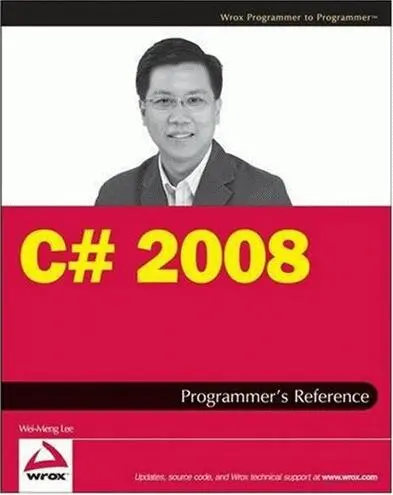
- Название:C# 2008 Programmer's Reference
- Автор:
- Издательство:Wiley Publishing, Inc.
- Жанр:
- Год:2009
- Город:Indianapolis
- ISBN:978-0-470-28581-7
- Рейтинг книги:4 / 5. Голосов: 1
-
Избранное:Добавить в избранное
- Отзывы:
-
Ваша оценка:
C# 2008 Programmer's Reference: краткое содержание, описание и аннотация
Предлагаем к чтению аннотацию, описание, краткое содержание или предисловие (зависит от того, что написал сам автор книги «C# 2008 Programmer's Reference»). Если вы не нашли необходимую информацию о книге — напишите в комментариях, мы постараемся отыскать её.
C# 2008 Programmer's Reference — читать онлайн бесплатно полную книгу (весь текст) целиком
Ниже представлен текст книги, разбитый по страницам. Система сохранения места последней прочитанной страницы, позволяет с удобством читать онлайн бесплатно книгу «C# 2008 Programmer's Reference», без необходимости каждый раз заново искать на чём Вы остановились. Поставьте закладку, и сможете в любой момент перейти на страницу, на которой закончили чтение.
Интервал:
Закладка:
List nums = new List();
nums.Add(4);
nums.Add(1);
nums.Add(3);
nums.Add(5);
nums.Add(7);
nums.Add(2);
nums.Add(8);
//---sorts the list---
nums.Sort();
//---prints out all the elements in the list---
foreach (int n in nums) Console.WriteLine(n);
If you try to sort an ArrayListobject containing elements of different types, you are likely to run into an exception because the compiler may not be able to compare the values of two different types.
Indexers and Iterators
Sometimes you may have classes that encapsulate an internal collection or array. Consider the following SpamPhraseListclass:
public class SpamPhraseList {
protected string[] Phrases = new string[] {
"pain relief", "paxil", "pharmacy", "phendimetrazine",
"phentamine", "phentermine", "pheramones", "pherimones",
"photos of singles", "platinum-celebs", "poker-chip",
"poze", "prescription", "privacy assured", "product for less",
"products for less", "protect yourself", "psychic"
};
public string Phrase(int index) {
if (index <= 0 && index < Phrases.Length)
return Phrases[index];
else return string.Empty;
}
}
The SpamPhraseListclass has a protected string array called Phrases. It also exposes the Phrase()method, which takes in an index and returns an element from the string array:
SpamPhraseList list = new SpamPhraseList();
Console.WriteLine(list.Phrase(17)); //---psychic---
Because the main purpose of the SpamPhraseListclass is to return one of the phrases contained within it, it might be more intuitive to access it more like an array, like this:
SpamPhraseList list = new SpamPhraseList();
Console.WriteLine(list[17]); //---psychic---
In C#, you can use the indexer feature to make your class accessible just like an array. Using the SpamPhraseListclass, you can use the this keyword to declare an indexer on the class:
public class SpamPhraseList {
protected string[] Phrases = new string[] {
"pain relief", "paxil", "pharmacy", "phendimetrazine",
"phentamine", "phentermine", "pheramones", "pherimones",
"photos of singles", "platinum-celebs", "poker-chip",
"poze", "prescription", "privacy assured", "product for less",
"products for less", "protect yourself", "psychic"
};
public string this[int index] {
get {
if (index <= 0 && index < Phrases.Length)
return Phrases[index];
else return string.Empty;
}
set {
if (index >= 0 && index < Phrases.Length)
Phrases[index] = value;
}
}
}
Once the indexer is added to the SpamPhraseListclass, you can now access the internal array of string just like an array, like this:
SpamPhraseList list = new SpamPhraseList();
Console.WriteLine(list[17]); //---psychic---
Besides retrieving the elements from the class, you can also set a value to each individual element, like this:
list[17] = "psycho";
The indexer feature enables you to access the internal arrays of elements using array syntax, but you cannot use the foreachstatement to iterate through the elements contained within it. For example, the following statements give you an error:
SpamPhraseList list = new SpamPhraseList();
foreach (string s in list) //---error---
Console.WriteLine(s);
To ensure that your class supports the foreachstatement, you need to use a feature known as iterators. Iterators enable you to use the convenient foreachsyntax to step through a list of items in a class. To create an iterator for the SpamPhraseListclass, you only need to implement the GetEnumerator()method, like this:
public class SpamPhraseList {
protected string[] Phrases = new string[]{
"pain relief", "paxil", "pharmacy", "phendimetrazine",
"phentamine", "phentermine", "pheramones", "pherimones",
"photos of singles", "platinum-celebs", "poker-chip",
"poze", "prescription", "privacy assured", "product for less",
"products for less", "protect yourself", "psychic"
};
public string this[int index] {
get {
if (index <= 0 && index < Phrases.Length)
return Phrases[index];
else return string.Empty;
}
set {
if (index >= 0 && index < Phrases.Length)
Phrases[index] = value;
}
}
public IEnumerator GetEnumerator() {
foreach (string s in Phrases) {
yield return s;
}
}
}
Within the GetEnumerator()method, you can use the foreachstatement to iterate through all the elements in the Phrasesarray and then use the yieldkeyword to return individual elements in the array.
You can now iterate through the elements in a SpamPhraseListobject using the foreachstatement:
SpamPhraseList list = new SpamPhraseList();
foreach (string s in list) Console.WriteLine(s);
Implementing IEnumerable and IEnumerator
Besides using the iterators feature in your class to allow clients to step through its internal elements with foreach, you can make your class support the foreach statement by implementing the IEnumerableand IEnumeratorinterfaces. The generic equivalents of these two interfaces are IEnumerableand IEnumerator, respectively.
Use the generic versions because they are type safe.
In .NET, all classes that enumerate objects must implement the IEnumerable(or the generic IEnumerable) interface. The objects enumerated must implement the IEnumerator(or the generic IEnumerable) interface, which has the following members:
□ Current— Returns the current element in the collection
□ MoveNext()— Advances to the next element in the collection
□ Reset()— Resets the enumerator to its initial position
The IEnumerableinterface has one member:
□ GetEnumerator()— Returns the enumerator that iterates through a collection
All the discussions from this point onward use the generic versions of the IEnumerableand IEnumeratorinterfaces because they are type-safe.
To understand how the IEnumerableand IEnumeratorinterfaces work, modify SpamPhraseListclass to implement the IEnumerableinterface:
Интервал:
Закладка:
Похожие книги на «C# 2008 Programmer's Reference»
Представляем Вашему вниманию похожие книги на «C# 2008 Programmer's Reference» списком для выбора. Мы отобрали схожую по названию и смыслу литературу в надежде предоставить читателям больше вариантов отыскать новые, интересные, ещё непрочитанные произведения.












Обсуждение, отзывы о книге «C# 2008 Programmer's Reference» и просто собственные мнения читателей. Оставьте ваши комментарии, напишите, что Вы думаете о произведении, его смысле или главных героях. Укажите что конкретно понравилось, а что нет, и почему Вы так считаете.